Try it in two minutes
You need a browser. No wallet, test tokens or installation is required for these steps.
1. Inspect a completed tender
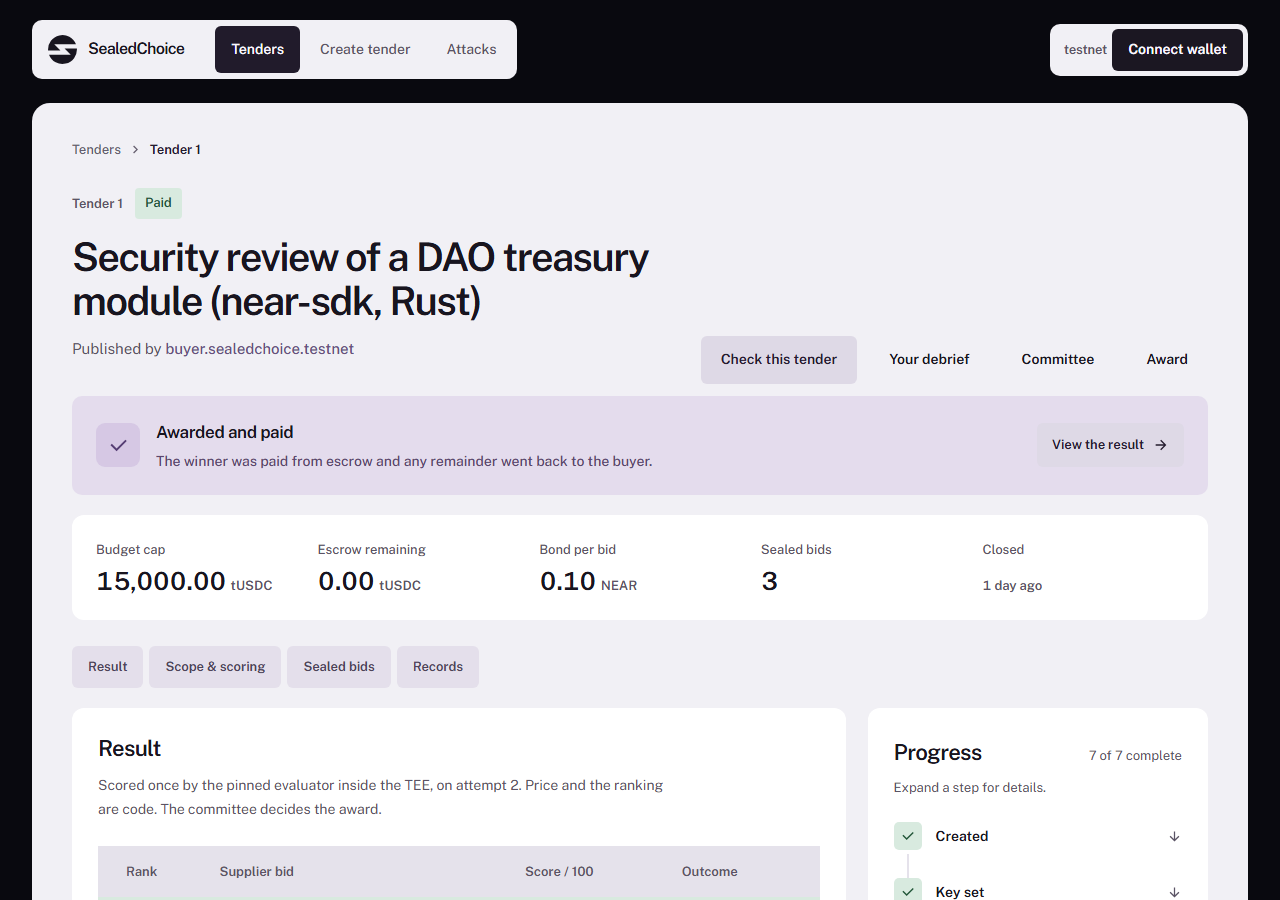
Open tender 1. It is a security review of a DAO treasury module, with three sealed bids and a published rubric. The timeline ends at Paid.
Read the rubric and evaluation results. Bid A ranks first at 86.66, C second at 52.00, and B third at 47.55. C carries the injection flag. The flag calls for human attention; it does not automatically make a bid ineligible.
2. Verify the record
Open Verify for tender 1 and let the checks finish. The recorded release was verified with 10 of 10 checks passing, with no skipped checks. Expand the rows to inspect their evidence and links.
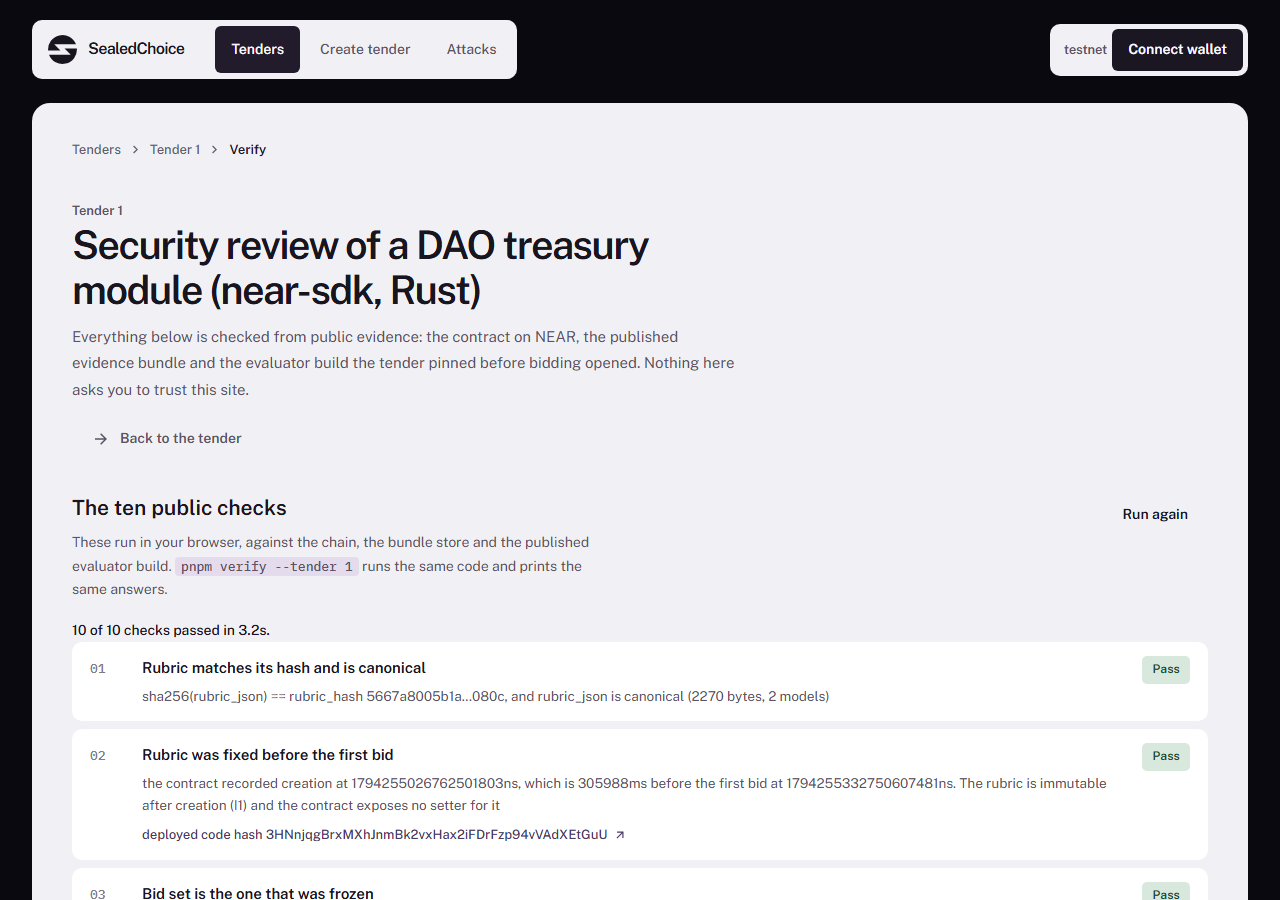
A failed check means contradictory evidence. A check marked Not checked means the available evidence or transport could not settle it. Read the row rather than treating either state as a successful verification. The verification guide explains the boundary of each check.
The screenshot records the deployed release at capture time. Its source-tag link is a recorded reference; those tags remain unpublished. The artifact hash check does not perform a source rebuild.
3. Follow the payment
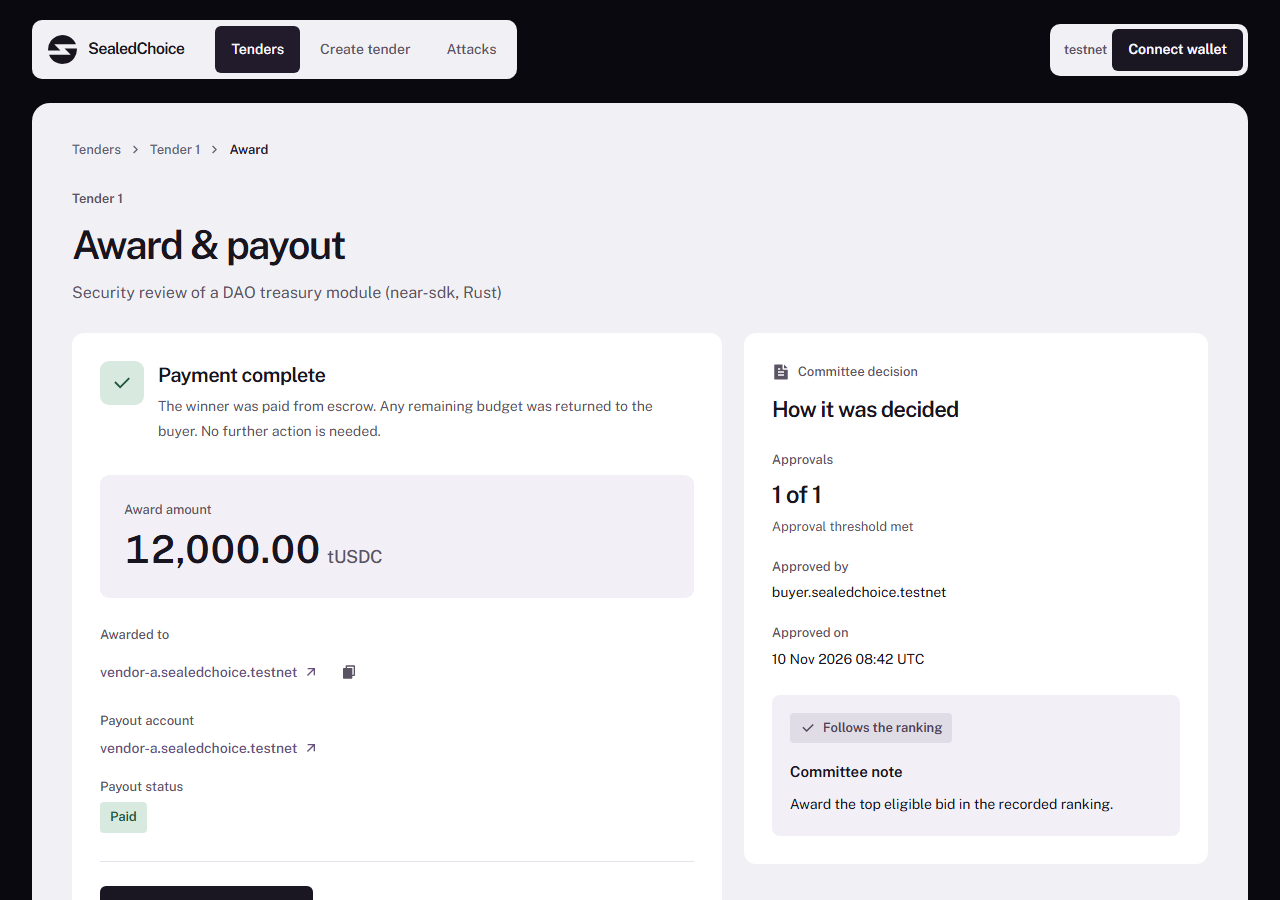
Open the award. It shows Payment complete, 12,000 tUSDC, and the payout account vendor-a.sealedchoice.testnet. The committee awarded the top eligible bid.
4. Compare a human deviation
Open tender 2's award. Bid B received 9,000 tUSDC, despite its lower score. The page displays the committee's recorded explanation: it chose the lower-priced, 14-day proposal. This is an explicit human decision, visible in the record.
5. Inspect the attacks
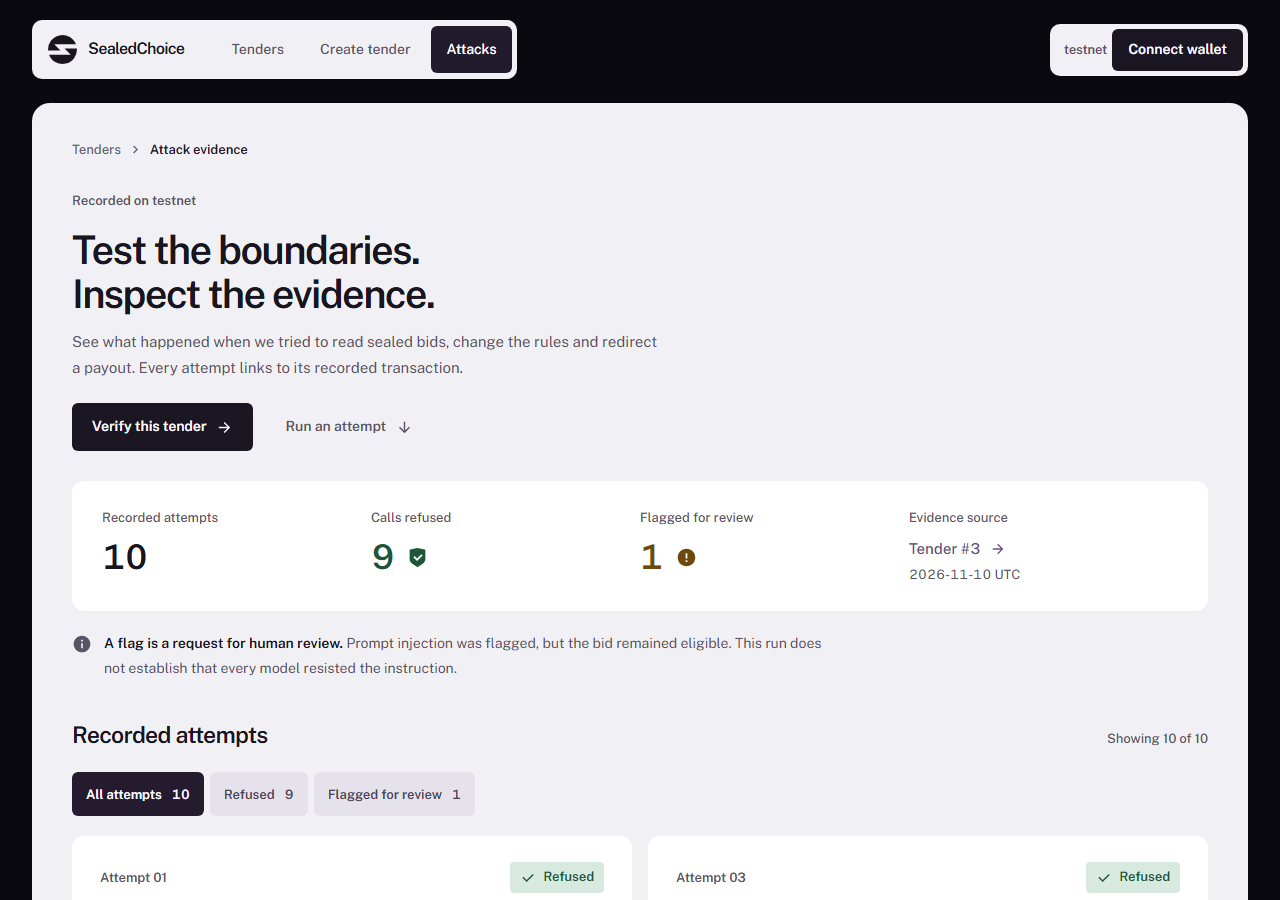
Open Attacks. There are ten recorded attempts on tender 3. Expand a record to see its outcome and transaction. Nine attempts were refused; the prompt-injection attempt was flagged during scoring. Detection is not proof that models resist every injection.
Optional: inspect your own private report
The completed demos cannot accept new bids. If you control a registered bidder account, open its Debrief and sign the reader-key message to decrypt its report. Committee members have a separate Committee report. An unrelated wallet cannot open either report.
To create a new tender or bid, use the buyer and bidder guides. Those actions require a testnet wallet, gas and the configured test token.